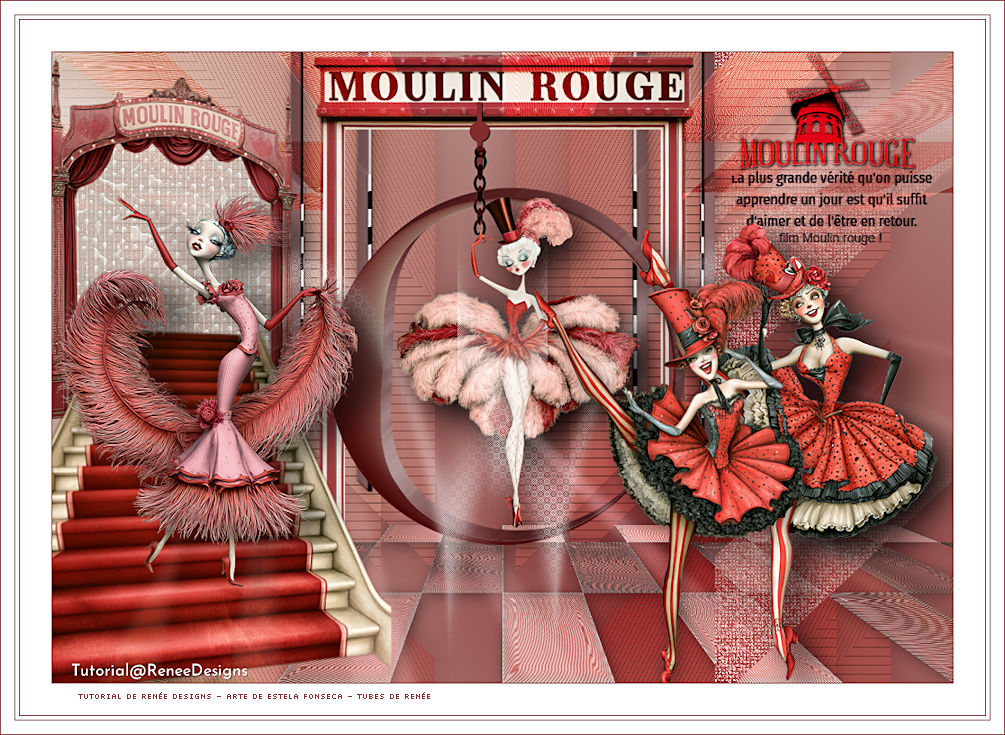
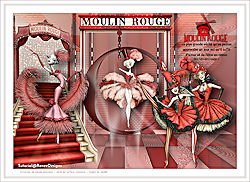
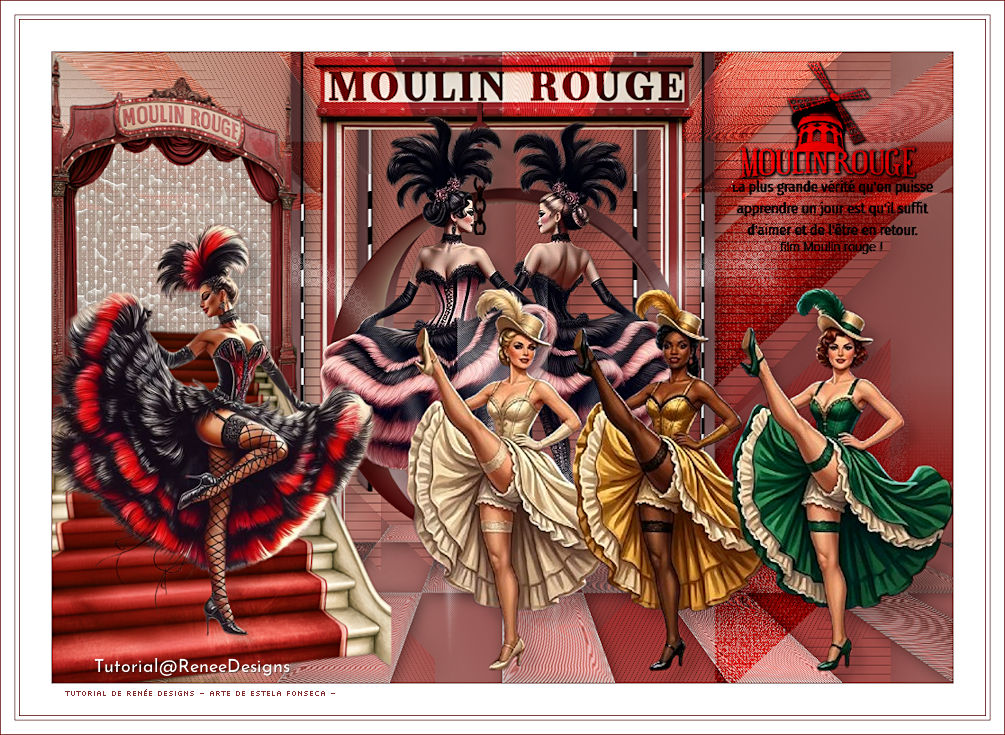
MOULIN ROUGE
Tutorial de Renée Graphic , original, Aqui.
O tutorial foi traduzido na versão PaintShopPro 2022 Ultimate, mas ele pode ser feito com outras versões.
Materiais Necessários:
Tubes de Renée...
ATENÇÃO:
Aviso de Renée*
Se for sua intenção compartilhar esses tubes ou essas lições em grupo, peça permissão ao proprietário.
O tube não pode ser enviado sem a aula.Por favor, não faça alterações no tube, pois este tube foi feito apenas para esta lição.
É proibido compartilhar este tutorial sem link para a lição original.
Muito obrigado.Renée.
Eles estão a disposição em seu site: AQUI.
PLUGINS
Atenção
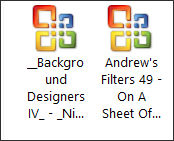
Lembrete Se você usar o Filter Unlimited 2.3, de Renée, ele consiste em 3 pastas
Dê uma olhada nas pastas antes de adicionar uma predefinição.
Os outros Plugins estão a disposição : AQUI.
**
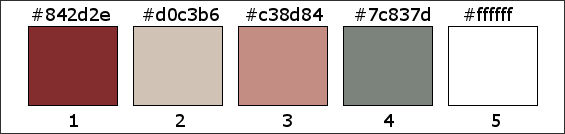
Estilo e Texturas – Primeiro Plano cor 1 e Plano de Fundo cor 2
1. Abra uma nova imagem transparente de 1000 x 700 Pixels.
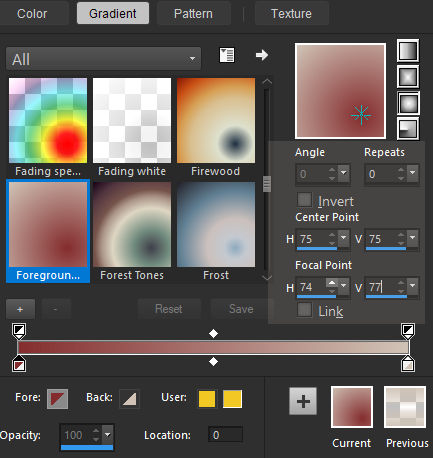
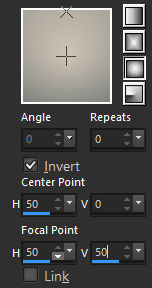
2. Prepare um Gradiente no Primeiro Plano - SUNBURST – configure da seguinte forma:
3. Ative o Balde de TintaPinte com o gradiente
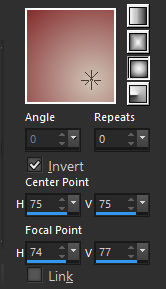
Estilos e Texturas / Inverta o Gradiente
4. Layers / New Raster Layer
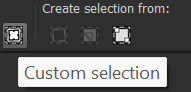
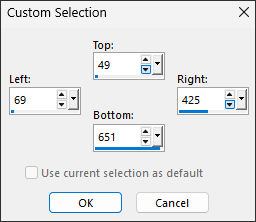
5. Selections (S)Custom Selection (Seleção Personalizada)
6. Ative o Balde de Tinta
Selections / Select None
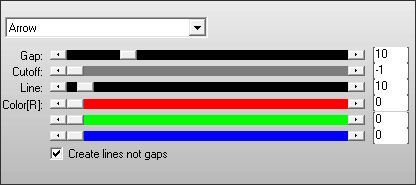
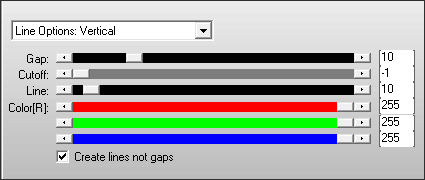
7. Effects / Plugins / AP[Lines] / Lines – Silverlining:Arrow
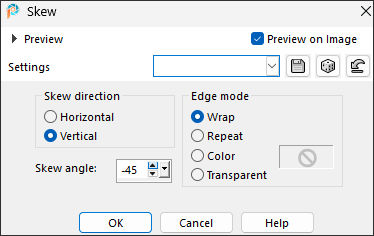
8. Effects / Geometric Effects / Skew
9. Layers / Duplicate
10. Image / Mirror / Mirror Horizontal11. Layers / Merge / Merge Down
12. Effects /3D Effects / Drop Shadow: 0/0/50/50,00/#000000
13. Propriedade das Layers / Blend Mode (Modo de Mistura) / Overlay / Opacidade 38
14. Layers / Duplicate
Ative a Layer do Meio (Raster2)
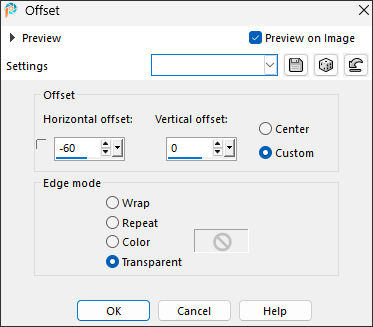
15. Effects / Image Effects / Offset
Retorne para a layer do Topo
16. Ative e Copie «Moulin-rouge-image1»Cole como nova layer
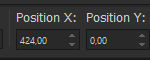
17. Pick (K) / Position X (424,00) / Position Y (0,00) / Tecla "M" para sair da Ferramenta
18. Effects / Plugins / L & K's / Pia: LK1... 32
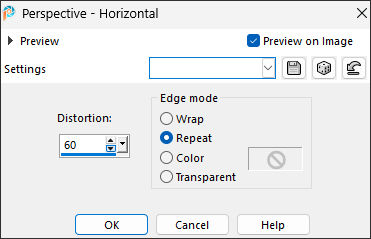
19. Effects / Geometric Effects / Perspective Horizontal
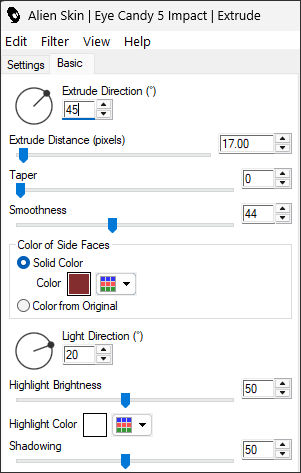
20. Effects / Plugins / Alien Skin Eye Candy 5 - Impact / Extrude – Cor Nº 1
21. Layers / Duplicate
22. Image / Mirror / Mirror Horizontal23. Layers / Merge / Merge Down
24. Effects / 3D Effects / Drop Shadow (Sombra Projetada) : 3/3/42/24,00/#000000
25. Ative e Copie «Moulin-rouge-image2.pspimage»Cole como nova layer
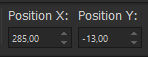
26. Pick (K) - Position X (285,00) / Position Y (-13,00) / Tecla "M" desativa a Pick
27. Layers / New Raster Layer
28. Selections / Load / Save a selection / Load/Selection from disk: Moulan-Rouge1
Estilos e Texturas / Primeiro Plano cor N°3
29. Balde de Tinta
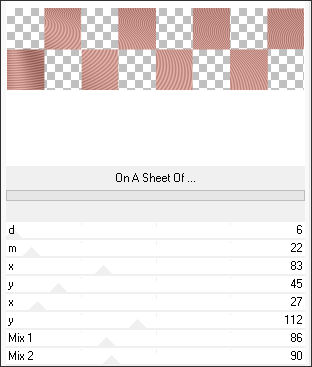
30. Effects / Plugins / Filters Unlimited 2.0 / Andrew's Filters 49 / On A Sheet Of ...
31. Effects / Edge Effects / Enhance32. Effects / Plugins / Filters Unlimited 2.0 / &<Background Designers IV> / @Night Shadow Pool / Default
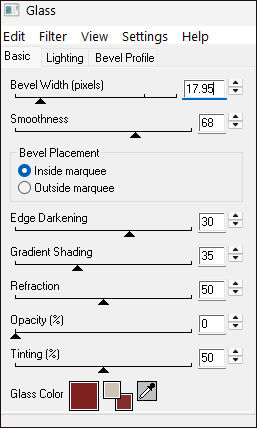
33. Effects / Eye Candy 4000 / Glass
Selections / Select None
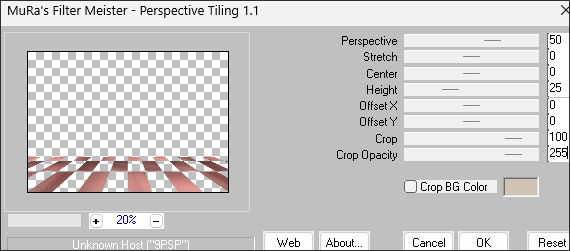
34. Effects / Plugins / MuRa’s Meister / Perspective Tiling
35. Layers / Duplicate
36. Image / Mirror / Mirror Vertical
37. Layer Properties (Propriedade das camadas) / Blend Mode (Modo de Mistura) / Overlay
38. Selections / Load/Save selection / Load From Disk: Moulan-Rouge2
Delete
Selections / Select None
Ative a Raster 5
39. Effects / 3D Effects /Drop Shadow: 3/3/42/24,00/#000000
Ative a Layer ... Raster 1
40. Layers / Duplicate
41. Layers / Arrange / Bring to top42. Effects / Geometric Effects / Circle / Transparent (marcado)
43. Image / Resize / 60% ... Resize All Layers... Desmarcado
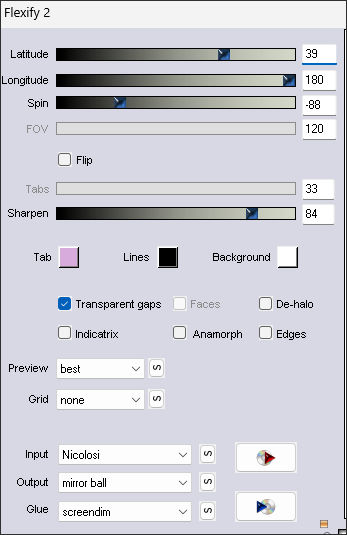
44. Effects / Plugins / Flaming Pear / Flexify 2
45. Image / Resize / 55 % ...Resize All Layers ... DesmarcadoEstá bem colocado
46. Effects / Plugins / Alien Skin Eye Candy 5 - Impact / Extrude ... Na memória.
47. Ative e Copie «Moulin-rouge-image-chaine.pspimage»Cole como nova layer
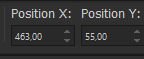
48. Pick (K) - Position X (463,00) / Position Y (55,00) / Tecla "M" desativa a Pick
49. Ative «Moulin-Rougue-Doll-24»
Image / Resize / 48% ... Resize All Layers ... Marcado
Cole como nova layerColoque a mão dele na corrente (veja a imagem final)
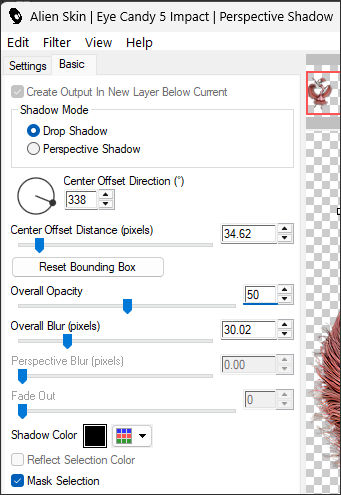
50. Effects / Plugins / Alien Skin Eye Candy 5 / Impact / Perspective Shadow /Preset : Drop shadow, blurry
51. Layers / New Raster Layer
52. Selections / Load/ Save selection / Load From Disk:Moulan-Rouge3Estilos e Texturas / Primeiro Plano cor #ffffff
53. Ative o Balde de Tinta
Selections / Select None
54. Effects / Plugins / L & K's / Palmyra / Default
55. Layers Properties / Blend Mode / Screen
56. Ative e Copie «Moulin-rouge-image-escalier.pspimage»
Copie e cole como nova layer
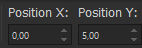
57. Pick (K) - Position X (0,00) / Position Y (5,00) / Tecla "M" desativa a Pick
Estilos e Texturas / Primeiro Plano cor N°4 e Plano de Fundo cor N°2Prepare no Primeiro Plano um Gradiente SUNBURST configure como segue:
58. Layers / New Raster Layer
59 Selections / Load/Save selection / Load From Disk: Moulan-Rouge460. Balde de Tinta
61. Adjust / Blur / Gaussian Blur / Radius 20
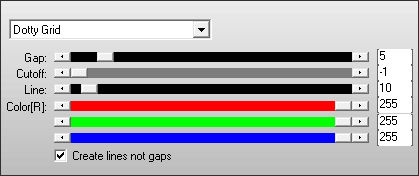
62. Effects / Plugins / AP[Lines] Lines / Silverlining
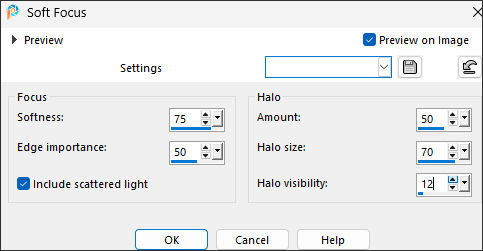
63. Adjust / Softness / Soft Focus ... 2 vezes
64. Adjust / Sharpness / Sharpen65. Effects / Plugins / AP[Lines]/ Lines – Silverlining
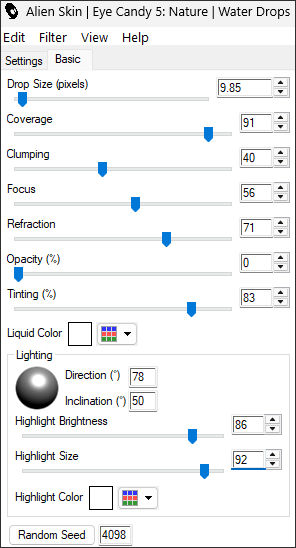
66. Effects / Plugins / Alien Skin Eye Candy 5 / Nature / Water drops
Selections / Select None
67. Layers / Arrange / Bring to Top
Ative a Layer do TopoAtive o tube «moulin-rouge-tubes-frenchcancan»
( Não o feche precisaremos dele novamente)
68. Ative a layer Raster 3 do tube
Image / Resize / 60%Copie e cole como nova layer em seu trabalho
Coloque na escada da maneira que preferir
69. Effects /Plugins / Alien Skin Eye Candy 5 - Impact / Perspective Shadow
70. Layers / New Raster Layer
71. Selections / Load /Save selection / Load from disk: Moulan-Rouge572. Balde de Tinta
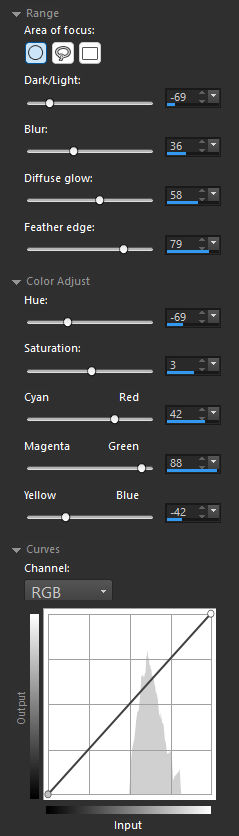
73. Effects / Photo Effects / Retro Lab
Se estiver usando outras cores, experimente ajustar as medidas.
74. Layer Properties / Blend Mode / Screen ... Opacidade / 69Selections / Select None
75. Layers / New Raster Layer
76. Selections / Load/Save selection / Load From disk: Moulan-Rouge6
77. Balde de Tinta / Opacidade 100 / Pinte com a cor Nº 1
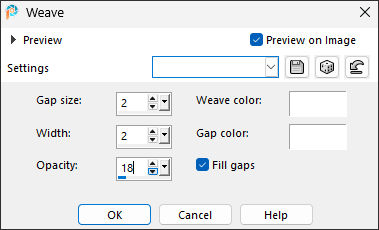
78. Effects / Texture Effects / Weave (as 2 cores brancas)
79. Effects / Plugins / Alien Skin Eye Candy 5 / Nature / Water drops (na memória)
80. Layers Properties / Blend Mode / Burn
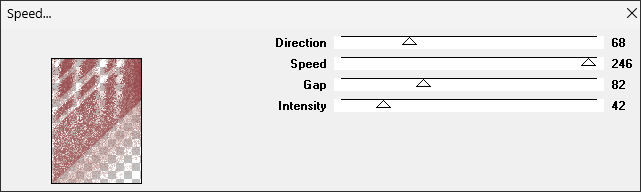
81. Effects / Plugins / VM Natural / Speed
Selections / Select None
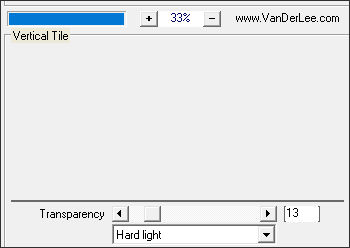
82. Effects /Plugins / Vanderlee / Unplugged X / Vertical Tile
Ative novamente o tube reservado (moulin-rouge-tubes-frenchcancan)
83. Posicione-se nas layers Raster 1 e Raster 2 do tube
Redimensione os dançarinos para 60% ... cole-os no lugar como desejar
84. Nestes tubes:Effects /Plugins / Alien Skin Eye Candy 5 – Impact / Perspective Shadow /Preset : Drop Shadow Blury
85. Ative e Copie «Moulan-Rouge-text»Cole como nova layer
Coloque no canto superior direito
86. Image / Add Borders / Symmetric Marcado / 1 Pixel cor Nº 1
Image / Add Borders / Symmetric Marcado / 35 Pixels cor Branca (#ffffff)
Image / Add Borders / Symmetric Marcado / 1 Pixel cor Nº 1
Image / Add Borders / Symmetric Marcado / 4 Pixels cor Branca (#ffffff)
Image / Add Borders / Symmetric Marcado / 1 Pixel cor Nº 1
Image / Add Borders / Symmetric Marcado / 15 Pixels cor Branca (#ffffff)
Image / Add Borders / Symmetric Marcado / 1 Pixel cor Nº 1
Coloque a marca d'água de Renée
87. Layers / Merge / Merge All
88. Image /Resize /1005 Pixels de Largura ... Resize all Layers ... MarcadoSalve como JPG.
Extra:
©Tutorial traduzido por Estela Fonseca em 20/09/2026.
Não alterar nem repassar sem autorização.